
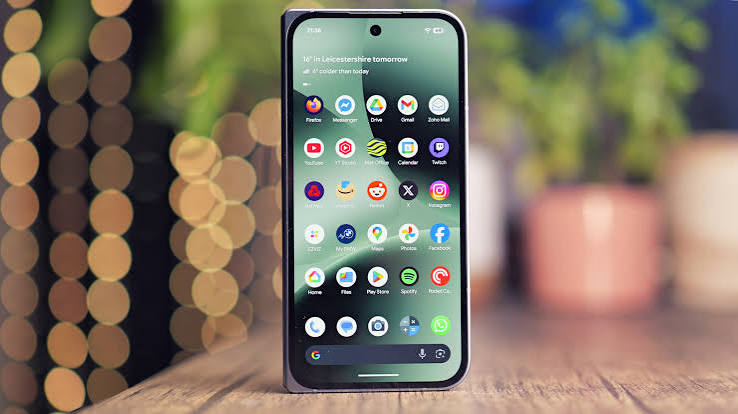
Android smartphones offer far more features than most people use every day. Beyond messaging, browsing, taking photos, and using social media, Android devices include settings and tools that can improve productivity, privacy, battery life, and overall usability.
You do not need to be a technology expert to take advantage of them. A few simple adjustments can make your phone faster, easier to use, and better suited to your daily routine.
1. Organise Your Home Screen
A cluttered home screen makes it harder to find the apps you actually need.
Keep frequently used apps on the first screen and move less important applications into folders or the app drawer. You might create folders for work, entertainment, finance, communication, and travel.
Widgets can also provide useful information without requiring you to open an application. Calendar, weather, notes, and task widgets are particularly useful for people who rely heavily on their phones throughout the day.
2. Review Your Quick Settings
The Quick Settings panel gives you immediate access to common Android functions.
Depending on your device, you may be able to add shortcuts for features such as:
- Wi-Fi
- Bluetooth
- Flashlight
- Battery Saver
- Screen Recording
- Mobile Hotspot
- Airplane Mode
- Do Not Disturb
Arrange these controls so the features you use most appear first.
This small adjustment can save time every day.
3. Check App Permissions
Applications may request access to your camera, microphone, location, contacts, files, or other information.
Some permissions are necessary for an app to function properly, while others may not be required for the way you use the app.
Open your Android privacy or permission settings occasionally and review which applications can access sensitive features.
Removing unnecessary permissions gives you greater control over your device.
4. Use Battery Features More Effectively
Battery life depends on screen brightness, connectivity, background apps, mobile signal strength, and many other factors.
Android devices provide tools that can help manage power consumption.
Battery Saver can reduce background activity when you need your phone to last longer. Adaptive battery features may also limit resources used by applications that you rarely open.
Checking the battery usage page can help identify apps consuming an unusual amount of power.
5. Customise Notifications
Not every application deserves immediate attention.
Games, shopping apps, social platforms, news apps, and other services can generate large numbers of notifications throughout the day.
Instead of disabling all notifications, decide which ones are genuinely useful.
You might keep messaging and calendar alerts active while limiting promotional or recommendation notifications.
This creates a quieter and more useful smartphone experience.
6. Explore Android Tips and Guides
Android includes many useful features that can be easy to overlook because settings and capabilities vary between devices and software versions.
Reading practical guides can help users discover features they might otherwise miss.
Websites such as blabdroid.com provide content covering Android tips, applications, mobile technology, gaming, and related topics for users interested in getting more from their devices.
Exploring guides occasionally can reveal useful settings or tools that improve your everyday experience.
7. Keep Important Apps Updated
Application updates often introduce new features, performance improvements, compatibility changes, and security fixes.
Keeping important apps updated helps ensure they continue working properly with your Android device.
You can use automatic updates for convenience or manually review updates when you prefer more control over what changes on your phone.
Either way, avoiding extremely outdated apps is generally a good practice.
8. Use Digital Wellbeing Features
Smartphones are useful, but constant notifications and entertainment can make them distracting.
Android’s digital wellbeing tools can help you understand how much time you spend on individual applications.
Depending on your device, features may include:
- App timers
- Focus modes
- Bedtime settings
- Screen-time statistics
- Notification tracking
These tools are particularly helpful when you want to reduce time spent on social media or other distracting applications.
9. Back Up Important Information
Phones can be lost, damaged, reset, or replaced.
Backing up important information helps prevent photographs, contacts, settings, and other valuable data from disappearing with the device.
Check which information is being backed up to your cloud account and make sure important files have another copy when necessary.
Backing up data before switching phones is particularly important.
10. Learn Your Phone’s Unique Features
Android is used across many different smartphones, and manufacturers often add their own features.
Your phone might include special multitasking tools, camera modes, custom gestures, desktop functionality, stylus controls, or automation features.
Spend some time exploring the settings menu rather than relying only on the default configuration.
You may discover features that make the device considerably more useful.
Final Thoughts
Android provides users with a high level of flexibility, but taking advantage of that flexibility requires occasional exploration.
Organising your interface, reviewing permissions, managing notifications, improving battery settings, and discovering useful features can significantly improve the way your phone works for you.
You do not need to change everything at once. Start with a few settings that solve problems you experience regularly and gradually customise your phone around the way you actually use it.